


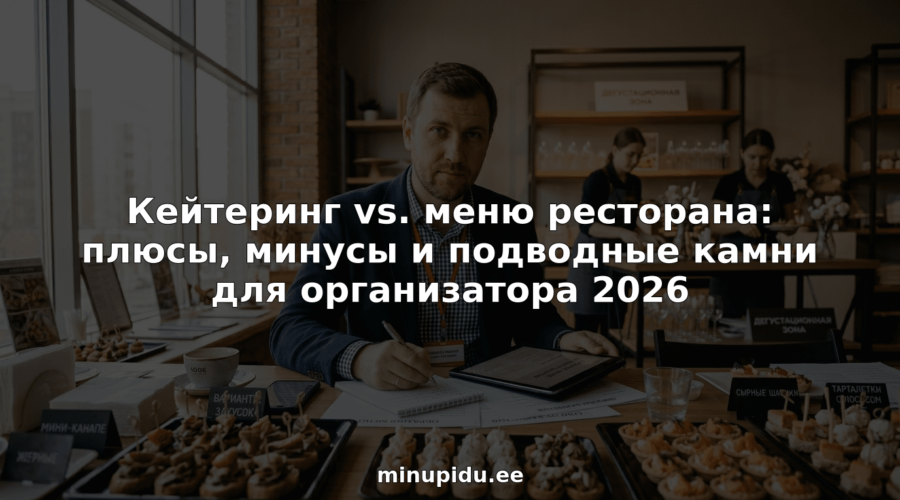
Catering vs. restaurant menu: pros, cons and pitfalls for the organizer 2026
The choice of treats for an important event always raises a lot of questions. You want to surprise the guests and not encounter any surprises. Organizers think about the budget and the quality of dishes, the speed of serving and the atmosphere. What is better to choose for the celebration in 2026: to order dishes from the restaurant or to turn to catering? Both options hide interesting details. Some advantages may seem obvious, but there are also unexpected nuances. What difficulties may await and what to pay attention to in order for the celebration to go perfectly?
Content
Minupidu.ee.

Brief overview
Minupidu.ee. - presenter online service catalog for organizing events in Estonia, combining easy search and direct booking capabilities. It is our clear choice for organizers who need a fast, local and professional platform.
Key features
The platform offers broad categorization of servicesPhotographers, hosts, restaurants, venue rentals, decor and equipment, transfers and catering, making it easy to find contractors by type of task. Users create accounts to manage bookings, reviews and bookmarks. There is online booking and direct contact with suppliers. The interface is available in Estonian Russian and English.
Pros
- Wide range of services in one location makes planning faster and reduces the need to jump between sites.
- Search by region and category allows you to quickly find contractors in Narva, Viljandi or Tallinn without unnecessary filters.
- Direct contact and online booking reduce the time it takes to coordinate services and reduce the number of phone calls.
- Multilingual support makes the platform convenient for foreign guests and Russian-speaking organizers.
- Hosting opportunities for suppliers Helps local photographers and catering companies attract targeted clients.
Suitable for
Minupidu.ee. Ideal for private and corporate event organizers in Estonia who value speed and a local selection of contractors. It is suitable for both single wedding organizers in Tallinn and for teams that assemble complex events by region.
Unique value proposition
Minupidu.ee. unites the full range of services for holidays on one site and makes it clear and fast. The platform is structured by region and category, so you find the right performers exactly where the event is planned. This saves hours of searching and reduces the risk of inappropriate choices. For professionals Minupidu.ee. acts as a marketplace with the ability to display services and testimonials, and for customers as a single tool for comparison, communication and booking.
Minupidu.ee. is superior to its competitors because it focuses on the Estonian market and takes into account local specifics of venues, language diversity and regional preferences. Smart organizers choose this platform for its combination of a local base, ease of order management and direct contacts with suppliers. The limitations of the platform are presented as a conscious choice: the main focus is on availability and booking rather than complex scheduling tools, making the interface fast and clear.
Real-life use case
A couple in Tallinn used Minupidu.ee. to find a photographer, a venue and a band in one week. They filtered the offers by neighborhood, sent three requests through the platform and made reservations directly with the vendors. The result - an organized wedding without the hassle of email correspondence.
Pricing
Viewing and contacting providers on the platform is free. The cost of specific services varies depending on the provider and the set of options. The platform does not impose fixed prices and leaves flexibility in negotiations.
Web site:
Canva for Catering Menus

Briefly
Canva for Catering Menus helps you quickly create visually appealing menus without the need for a designer. It is a practical tool for organizers in Estonia who want to design a menu in a branded way and get a printed result with delivery.
Key features
The platform offers large selection of menu templates for different kitchens and styles and simple editing tools. You add logo and brand elements and save the design to your Canva account. An option is available printing on high quality paper with delivery across Russia and the CIS, and editing is done through integration with the main Canva platform.
Pros
-
Ease of use. The interface allows you to bring a menu page to a working look in 10-30 minutes without design skills.
-
Professional templates. A wide range of styles helps you quickly match the decor to the type of event and kitchen.
-
Order printing directly. The ability to print on the platform saves time interacting with printers.
-
A large library of elements. Illustrations, fonts and icons facilitate branding and make the menu visually cohesive.
-
Conservation Flexibility. You save multiple versions of the menu and reuse them for different clients.
Minuses
-
Limitations in the base version. Some of the templates and premium elements are closed without paid subscription.
-
Paid Features. Professional typography and advanced options will require a paid plan.
-
Internet addiction. Editing only works online, which is inconvenient with a weak connection at offsite locations.
Suitable for
The tool is aimed at small catering, cafes, bakers and event planners in Estonia who need to quickly prepare a branded menu for one or more events. It is suitable for those who value speed and visual presentation without the need for a designer.
Unique offer
The main strength is the combination ready-made templates and printing option in one service. You get design, branding and printed product through one platform, which reduces logistics and mock-up checks before the event.
Case Study
A small catering business created a menu in Canva in its corporate colors, saved several versions for different events and ordered printing directly from the service. The menu looked unified at the events and helped to sell additional items.
Price
Printing is available from 9.00 $ per template. Paid plans are required to access advanced templates and premium elements. Exact rates and payment options are displayed in your Canva account.
Website: https://www.canva.com/ru_ru/menyu/shablony/kejtering/
Adobe Creative Cloud

Brief overview
Adobe Creative Cloud offers a broad set of tools for visual content and creative teams. The suite combines Photoshop, Illustrator and other applications with the function Adobe Firefly for generating creative materials.
For an event organizer in Estonia, this means the ability to quickly prepare advertising banners, menus and promotional materials, but costs and the need for a stable internet connection must be taken into account.
Main Functions
The platform gives you access to key graphics, photo and video applications and includes Creative AI through Adobe Firefly. Users are given the option unlimited generation creative content as part of a subscription and several pricing plans for different tasks.
There's also a special offer with savings on Creative Cloud Pro first three months for new subscribers. Updates and integration between applications support a unified workflow.
Pros
- A complete set of tools: The suite of applications covers graphic design, photo editing and video editing, reducing the need for third-party software.
- AI features: Adobe Firefly allows you to accelerate the creation of visuals and variants to test concepts in advertising campaigns.
- Flexible rates: Different plans are suitable for both freelancers and companies, you can choose a package according to the amount of work.
- Regular Updates: The platform is getting new features and patches, which keeps the tools up-to-date.
- Strong community and support: The availability of tutorials and forums helps you solve specific problems quickly.
Minuses
- High cost: For private organizers and small agencies, subscriptions can be expensive for ongoing use.
- Internet addiction: Cloud features and updates require a stable connection, which affects operations at offsite locations.
- Steep learning curve: Some advanced tools take time to master, which increases the lead time.
For whom
Adobe Creative Cloud is designed for creative professionals, designers, marketers, students and educational institutions, as well as for small and large companies. For event organizers, it is a tool for full-fledged preparation of materials from logo to video clip.
Unique selling proposition
The platform stands out for its integration between applications and the ability to utilize the Adobe Firefly to generate content directly in the subscription. This saves time when preparing multiple variants of visuals and maintains a unified style of projects.
Real-life use case
The marketing team uses Photoshop and Illustrator to create campaigns, and Firefly to quickly generate alternative creatives. Everything is managed through a single Creative Cloud subscription, making storage and collaboration easy.
Prices
Different subscription plans are available; exact rates and promotions are published on the website. For new users, there is a discount for the first three months for the Creative Cloud Pro plan.
Web site: https://adobe.com
VistaCreate

Brief overview
VistaCreate is a free graphic design tool with a thousands of templates and built-in AI Image Generator. Suitable for quickly creating content for social media, print and web without in-depth design skills.
Main Functions
The platform offers a set of features for different tasks: Thousands of templates by format, AI Image Generator for unique visuals and basic video editing tools. Plus there's Brand Kit to manage logos, colors and fonts.
Background removal, sticker creation, resizing and publication scheduling are also available. All this simplifies the preparation of monotonous marketing materials and quick release of visual content.
Pros
-
A wide range of templates. It saves you time in designing layouts for posts, banners and invitations.
-
Integrated AI tools. Image generation helps you get unique visuals without hiring an artist.
-
Functions for teamwork. Built-in collaboration tools make it easy to coordinate layouts between project participants.
-
Social media tools. The ability to resize and schedule publications speeds up SMM campaigns.
-
Free Rate. There is no cost to get started, which is convenient for self-organizers and small companies.
Minuses
-
Premium features are paid for. Advanced features are only available in the paid plan, which will limit professional scenarios.
-
Limited customization in the free plan. At the prime rate, customization and generation may not be sufficient for complex brands.
-
Some features are locked down in Pro. For example, unlimited AI templates and generations are available for subscription only.
Suitable for
The tool is aimed at private users, small companies and marketers who need simple and quick ways to create visual content. It is useful for event organizers who prepare posters, posts and invitations in-house.
Unique selling proposition
VistaCreate's main strength is the combination of masses of templates and built-in AI to create unique images with minimal time. This is a handy set for those who want a professional look without hiring a designer.
Real-life example of use
A small business owner uses VistaCreate to create posts, banners and flyers for promotions. With templates and resizing features, materials are quickly adapted to different platforms.
Pricing
A free plan with basic features is available. The Pro plan costs 10 USD per month and opens up additional tools and advanced features.
Web site: https://create.vista.com
Try the free plan to evaluate the templates and image generator before upgrading to Pro.
Fotor

Brief overview
Fotor is an easy-to-use online photo editing and graphics creation platform with a wide array of AI tools and templates. It is a working tool for an event organizer who wants to quickly prepare promotional materials and edit photos without a studio.
Main Functions
The platform includes basic editing tools like cropping, resizing and color correction. There are powerful AI tools to enhance images and remove backgrounds.
Fotor offers AI generation of images and video, The templates are available for posts and prints, which saves time when preparing posters and flyers. Templates for posts and printed materials are available, which saves time when preparing posters and flyers.
Pros
-
Simple interface makes the work fast even if you don't have a graphics background, you will notice a reduction in the time it takes to edit a photo.
-
Wide range of AI functions speeds up retouching, removes backgrounds, and helps you create creative options without lengthy customizations.
-
Large library of templates allows you to prepare posts and advertising banners for social networks and mailing lists in 10-30 minutes.
-
Cross-platform guarantees access on Windows, Mac, iOS and Android, which is convenient when working with teams and contractors.
-
There's a free plan so you can test the basic functions before you buy and save money on simple tasks.
Minuses
-
Some advanced features are only available on a subscription basis, which limits the options when working on a project budget.
-
Exports in the free plan come with a watermark and this makes it difficult to quickly publish content without incurring additional costs.
-
Free credits for AI tools are limited which forces you to plan your usage or upgrade to a paid plan.
Suitable for
Fotor is well suited for event organizers and small business owners in Estonia who prepare their own visuals for announcements, websites and social networks. It is a solution for those who appreciate speed and acceptable quality without going to an agency.
Unique selling proposition
Fotor combines familiar editing tools with a set of AI capabilities and ready-made templates. For the organizer it means less time for photo editing and more professional looking materials on a limited budget.
Real-life use case
A catering company owner uses Fotor to quickly process food photos, remove backgrounds and assemble a template for an event. This reduces external design costs and speeds up the publication of promotional materials in 20-40 minutes.
Pricing
A free plan with basic features is available. Paid plans start at $3.99 per month for Pro and go up to $19.99 per month for Max with additional credits, tools and storage capacity. Evaluate your project needs and choose a plan based on the amount of AI generation and number of non-watermarked exports.
Web site: https://fotor.com
Comparison of tools for event planning
The following table is offered for a convenient comparison of platforms and services described in the article. It will help you choose the most suitable tool for organizing events.
| Platform | Key features | Pros | Minuses | Cost |
|---|---|---|---|---|
| Minupidu.ee. | Contractor directory, search for services by region and category, multiple language support. | Wide selection of local contractors, direct contact and booking, multilingual support. | Limited regionally, simple feature set. | Free access, fees vary. |
| Canva for Menus | Edit menu templates, add branded elements, print finished menus. | Intuitive templates, easy saving and reuse, print ordering with delivery. | Some features are subscription only, requires internet to work. | Subscriptions from $9.00 per template. |
| Adobe Creative Cloud | A suite of graphics, photo and video editing, AI features from Adobe Firefly. | Full suite of creative content tools, flexible rates, regular updates. | High cost, steep learning curve, internet dependency. | Discount for new users, rates are individualized. |
| VistaCreate | Graphic design with AI Image Generator, logo and color management, publication scheduling. | Easy to use, features for social media, access to templates. | Advanced features available by subscription only, limited customization options. | Free plan, subscription $10 per month. |
| Fotor | Photo editing, AI tools, visuals generation, template library. | Fast editing, easy to manage teams, support for different platforms. | Watermarked exports in free plan, limited AI tool credits. | Free plan, subscriptions from $3.99 per month. |
Organize catering or restaurant menus without hassle
Choosing between catering and a restaurant menu is often a difficult task for an organizer. In the article “Catering vs. restaurant menu: pros, cons and pitfalls for the organizer 2026” all important aspects of this choice, including logistics, quality and budget, are discussed in detail. The reader's main pain is to find reliable performers who will be able to provide the holiday without disruption and additional complications.

Simplify your planning process with our online service catalog Minupidu.ee.. Here you can find verified catering companies, restaurants and other event contractors by region in Estonia. You can quickly compare offers, read reviews and book performers directly. Start organizing your event now and forget about risks and headaches - visit Minupidu.ee. And find the best professionals for your event today.
Frequently Asked Questions
How do you choose between catering and restaurant menus for an event?
Choose between catering and restaurant menus depending on the format of your event and the preferences of your guests. Evaluate what will be more convenient for your group: individual portions from catering or customized meals from the restaurant menu. Make a list of requirements and analyze the proposals within 1-2 weeks.
What are the advantages of catering over restaurant menus?
Catering offers flexibility and customization, allowing you to tailor the food to your needs and the theme of the event. This can be particularly useful for large events where the uniqueness of each element is important. Consider the individual wishes of your attendees and make choices based on the variety and quality of cuisine.
What are the main disadvantages of using catering?
Disadvantages of catering can include difficulty in coordinating logistics and the possibility of additional costs for equipment or serving. Be prepared to prepare a complete idea of your needs in advance and confirm all details with your contractors. This will help avoid unpleasant surprises on the day of the event.
How do I organize the menu at an event if I choose catering?
To organize the menu with catering, start by choosing a company and discuss possible menus taking into account the theme and preferences of your guests. Create a preliminary menu plan and coordinate it 2-3 weeks before the event to take into account all wishes and ensure the required number of portions.
What to consider when choosing a catering menu for an event?
When selecting a catering menu, consider the number of guests, the type of event and the food available at the restaurant. Analyze the options in advance and discuss with the restaurant the possibility of changing some of the dishes on the menu to accommodate guest preferences and dietary restrictions. Make your selections 1-2 weeks before the event for better organization.
How to minimize hidden costs when choosing between catering and restaurant menus?
To minimize hidden costs, be sure to clarify all terms and additional fees in advance, both with the caterer and the restaurant. Request estimates and detailed descriptions of services to have a clear idea of the total budget, and compare them for 1-2 weeks before making a decision.
